프로젝트 생성
➡️ Java 설치
➡️ IDE 설치
➡️ 스프링 부트 스타터 사이트 : https://start.spring.io >> 스프링 프로젝트 생성해주는 사이트


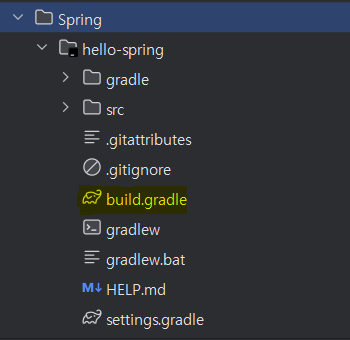
🔸GENERATE 후 압축해제 > build.gradle 찾아서 열어주기

➡️ build.gradle 파일의 구성
plugins {
    id 'java'
    id 'org.springframework.boot' version '3.4.1'  // 설정했던 버전
    id 'io.spring.dependency-management' version '1.1.7'
}

group = 'hello'
version = '0.0.1-SNAPSHOT'

java {
    toolchain {
       languageVersion = JavaLanguageVersion.of(21)
    }
}

repositories {
    mavenCentral()
}

dependencies {  // 프로젝트 생성시 설정했던 라이브버리 + 기본 테스트 라이브러리
    implementation 'org.springframework.boot:spring-boot-starter-thymeleaf'
    implementation 'org.springframework.boot:spring-boot-starter-web'
    testImplementation 'org.springframework.boot:spring-boot-starter-test'
    testRuntimeOnly 'org.junit.platform:junit-platform-launcher'
}

tasks.named('test') {
    useJUnitPlatform()
}
➡️ java폴더의 main을 실행시켜보면 Tomcat 8080포트 연결문구가 뜨면서 사이트 연결을 확인할 수 있음


라이브러리 살펴보기
➡️ 내가 따로 추가하지 않은 라이브러리들이 의존성에 따라 자동으로 다운됨

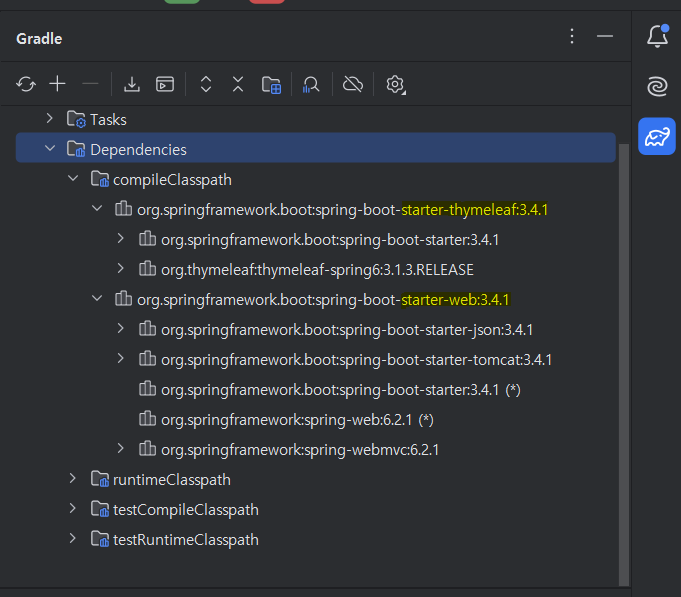
➡️ spring-boot-starter-web
🔸spring-boot-starter-tomcat : 톰캣(웹서버)
🔸spring-webmvc : 스프링 웹 MVC
➡️spring-boot-starter-thymeleaf : 타임리프 템플릿 엔진(View)
➡️spring-boot-starter(공통) : 스프링부트 + 스프링코어 + 로깅
➡️spring-boot-starter-test (테스트라이브러리)
🔸junit : 테스트 프레임워크
🔸mockito : 목 라이브러리
🔸assertj : 테스트 코드를 좀 더 편하게 작성하게 도와주는 라이브러리
🔸spring-test : 스프링 통합 테스트 지원
View 환경설정
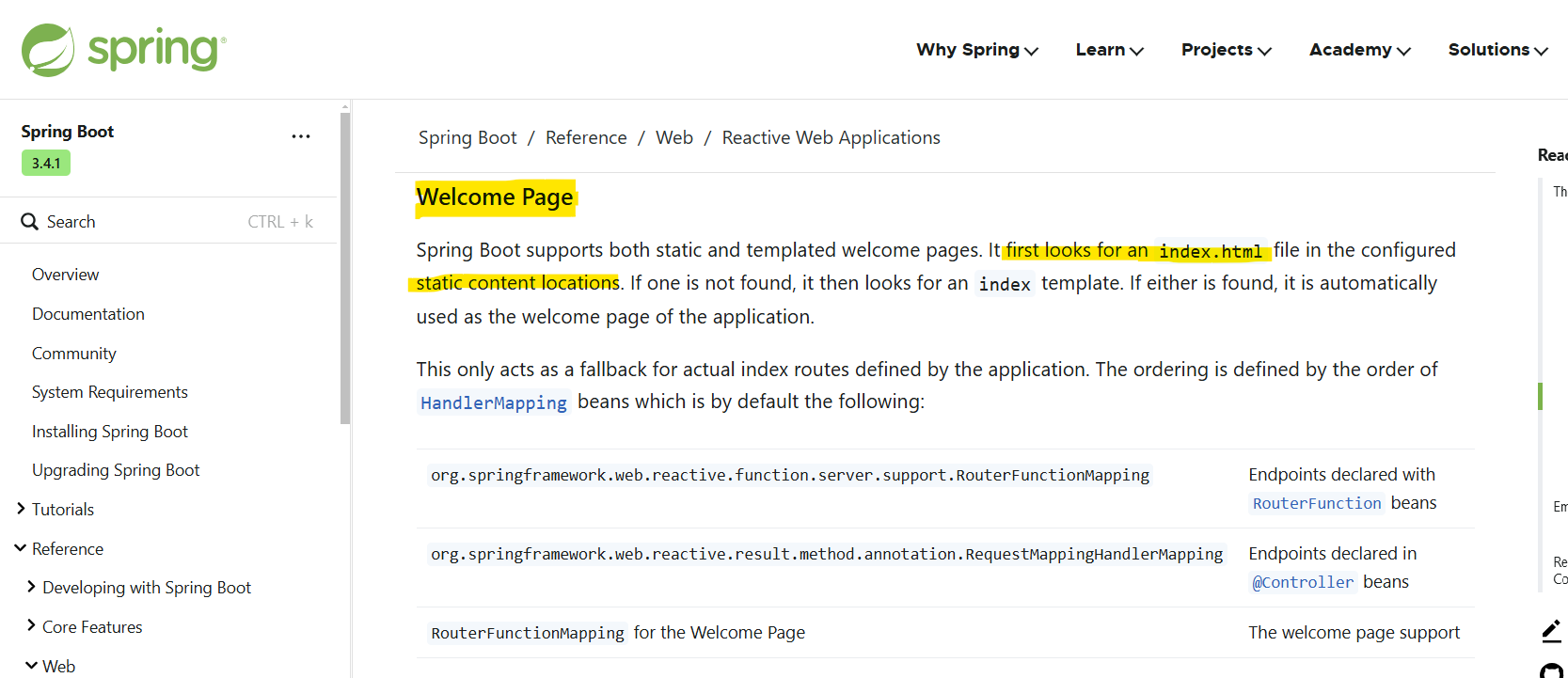
➡️spring.io > springboot > 모르는게 있으면 검색


➡️스프링부트가 제공하는 Welcome page 기능
🔸static/index.html을 올려두면 첫 화면인 Welcome page 제공
package hello.hello_spring.controller;

import org.springframework.stereotype.Controller;
import org.springframework.ui.Model;
import org.springframework.web.bind.annotation.GetMapping;

@Controller
public class HelloController {

    @GetMapping("hello")
    public String hello(Model model){
        model.addAttribute("data", "hello!!");
        return "hello";
    }
}
<!DOCTYPE HTML>
<html xmlns:th="http://www.thymeleaf.org">
<head>
    <title>Hello</title>
    <meta http-equiv = "Content-Type" content = "text/html; charset = UTF-8" />
</head>
<body>
<p th:text="'안녕하세요. ' + ${data}" >안녕하세요. 손님</p>
//${data} >> Conroller의 attributeValue값
</body>
</html>
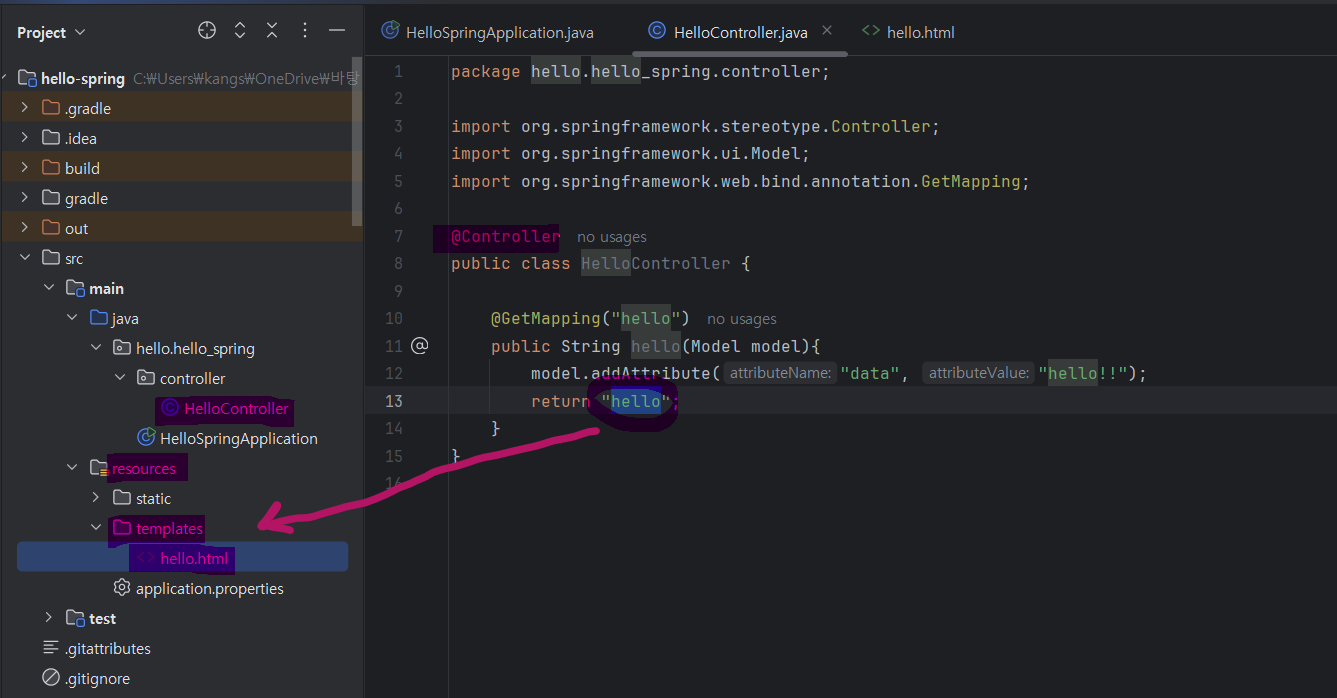
➡️ 컨트롤러에서 리턴값으로 문자 반환 > viewResolver가 롸면을 찾아 처리
🔸스프링부트 템플릿엔진 기본 viewName 매핑
🔸resources : templates / + {ViewName} + .html
빌드하고 실행하기
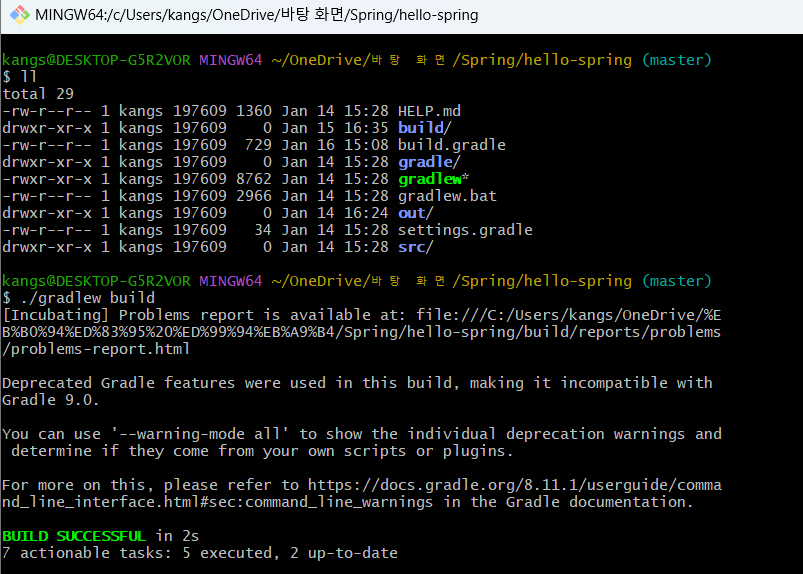
➡️ 윈도우 OS이기 때문에 해당 파일을 git bash로 열어주고 ll(리스트 확인) > gradlew build > build파일 생성됨
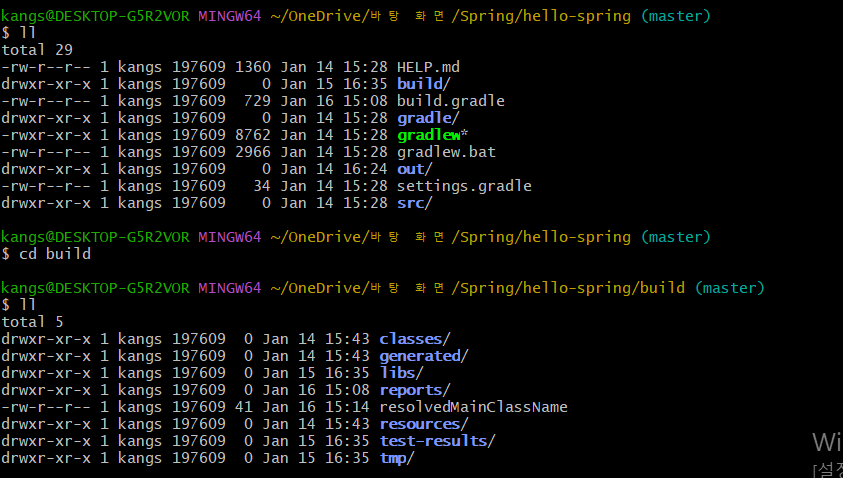
➡️build파일 진입해서 리스트 확인
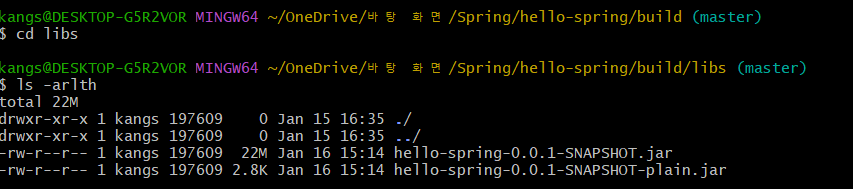
➡️ libs파일 진입 후 모든 파일 시간 역순으로 보면 hello-spring-0.0.1-SNAPSHOT.jar파일 확인 가능


➡️ "java -jar hello-spring-0.0.1-SNAPSHOT.jar"로 실행시켜주면 실행 완료
'프로그래밍 > - Spring' 카테고리의 다른 글
| [ 회원 관리 예제 - 웹 MVC 개발 ] 회원 웹기능 - 홈 화면 추가 / 등록 / 조회 (1) | 2025.02.04 |
|---|---|
| [ 스프링 빈과 의존관계 ] 컴포넌트 스캔과 자동 의존관계 설정 / 자바 코드로 직접 스프링 빈 등록하기 (1) | 2025.01.24 |
| [ 회원 관리 예제 - 백엔드 개발 ] 회원 서비스 개발 / 회원 서비스 테스트 (1) | 2025.01.23 |
| [ 회원 관리 예제 - 백엔드 개발 ] 비즈니스 요구사항 정리 / 회원 도메인과 리포지토리 만들기 / 회원 리포지토리 테스트 케이스 작성 (1) | 2025.01.22 |
| [ 스프링 웹 개발 기초 ] 정적 컨텐츠 / MVC와 템플릿 엔진 / API (3) | 2025.01.21 |


